Color Picker Desktop App uses default Mac OS X color picker and has a single window which you can drag & drop color or copy and paste to and from text or use a dropper to pick color from pictures. Color Picker Desktop also provide color buttons if you copy colors from multicolor text.
How to use Color Picker Desktop App
This video shows functions of Color Picker Desktop App.
Color wheel(red circle) - You can a choose a color in a circular color palette or using a dropper(blue circle)
Color Sliders(next to the color wheel) - Grayscale, RGB, CMYK, HSB
a. RGB Sliders - Red, Green, Blue color slider (for each color 0~255 or 8bit)
b. CMYK Sliders - Cyan, Magenta, Yellow, blacK (0~100% each)
c. HSB Sliders - Hue, Saturation, Brightness (Hue: 0~359o, Saturation:0~100%, Brightness:0~100%)
d. Grayscale Slider - Brightness(0~100%)
Color palettes - Web Safe Colors, Crayons, Developer, Apple
Image palettes - Spectrum
Pencils
Interact with mac book touch bar
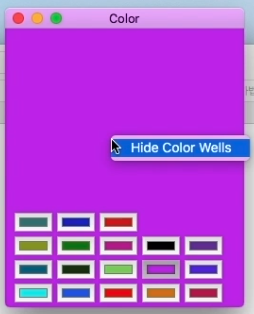
if you drag & drop or copy paste multi color text, it will create multi color wells
 Color Picker Desktop App Help



Comments
Post a Comment